

Safari
In Safari on a Mac, amo stickers can be installed as a userscript with the free Userscripts app.
No guarantees
This way isn’t tested: the script may work, or it may not. The tested way is a Chromium browser (Chrome, Yandex Browser, Edge, Opera) or Firefox: there amo stickers is installed as an extension or as a userscript in Tampermonkey.
Where the keys are stored
Userscripts may keep settings not in the app itself but in the amo site storage. Then the GIF keys and your own bot token are available to scripts on the amo page. If this matters to you, install amo stickers in a tested way — see the links above.
Install Userscripts.
- Install the Userscripts app from the App Store and open it once.
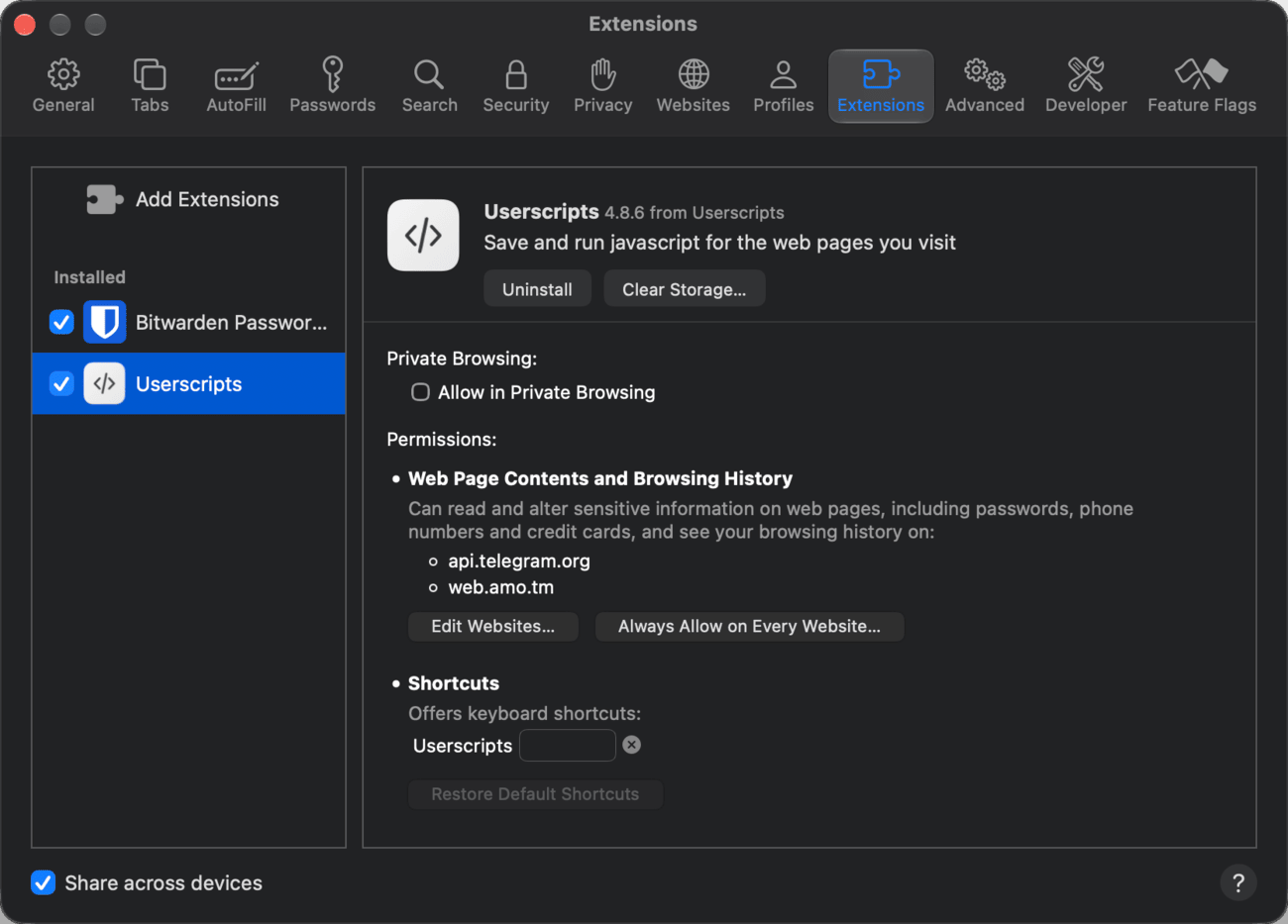
- In Safari, open Settings → Extensions and turn on Userscripts.
- Open amo, click the Userscripts icon in the Safari toolbar and allow the extension to run on this site.
Once allowed, the amo site will appear in the Userscripts permissions list in the same settings.
Install the script. Click the link amo-stickers.user.js — it is the latest version. The manager will offer to install the “amo stickers” script and show its version number — confirm the installation:
- Tampermonkey opens a separate tab with an “Install” button, or, if amo stickers is already installed, with an “Update” button and the installed version number;
- Userscripts in Safari opens the link as text — that’s fine: click the Userscripts icon in the Safari toolbar, and it will offer to install the script.
If the manager didn’t offer anything, check that it is installed and turned on.
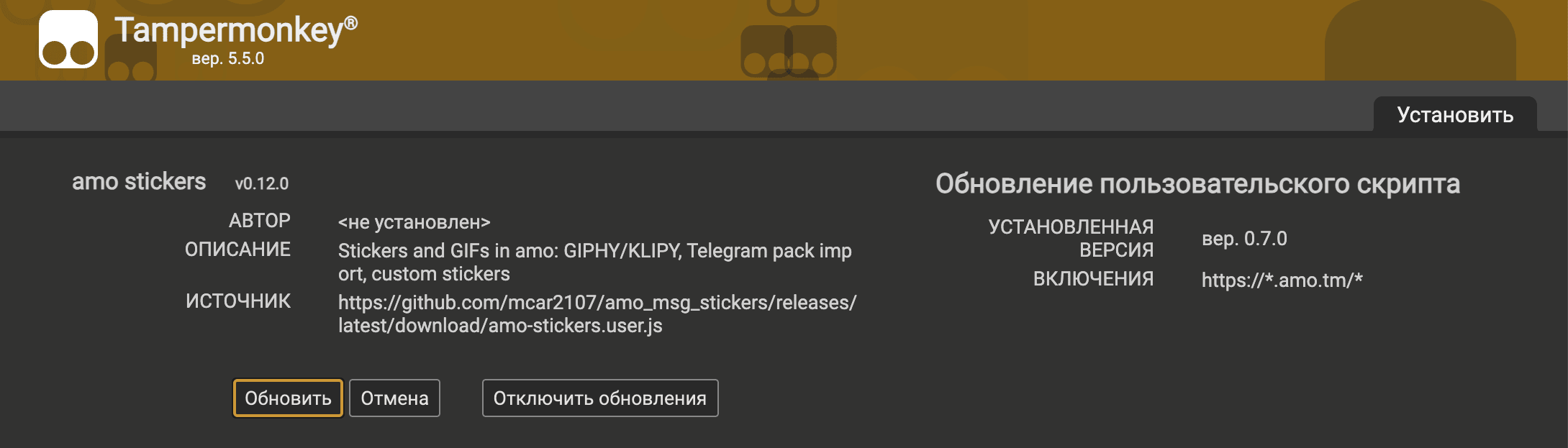
What the manager will ask. The script runs only on amo sites (*.amo.tm) and connects to three addresses on its own:
api.telegram.org— importing packs from Telegram;giphy.comandklipy.com— GIF search.
The script has no other addresses. With Tampermonkey, the GIF keys and your own bot token are stored in the manager itself, and scripts on the amo page can’t see them.
Check it. Open or reload the amo tab: a sticker button will appear in the message field next to the emoji button.

Updates are checked and installed by Tampermonkey itself — see “Updating” for details.